The Windows notch for DevinWatchbird forDevin
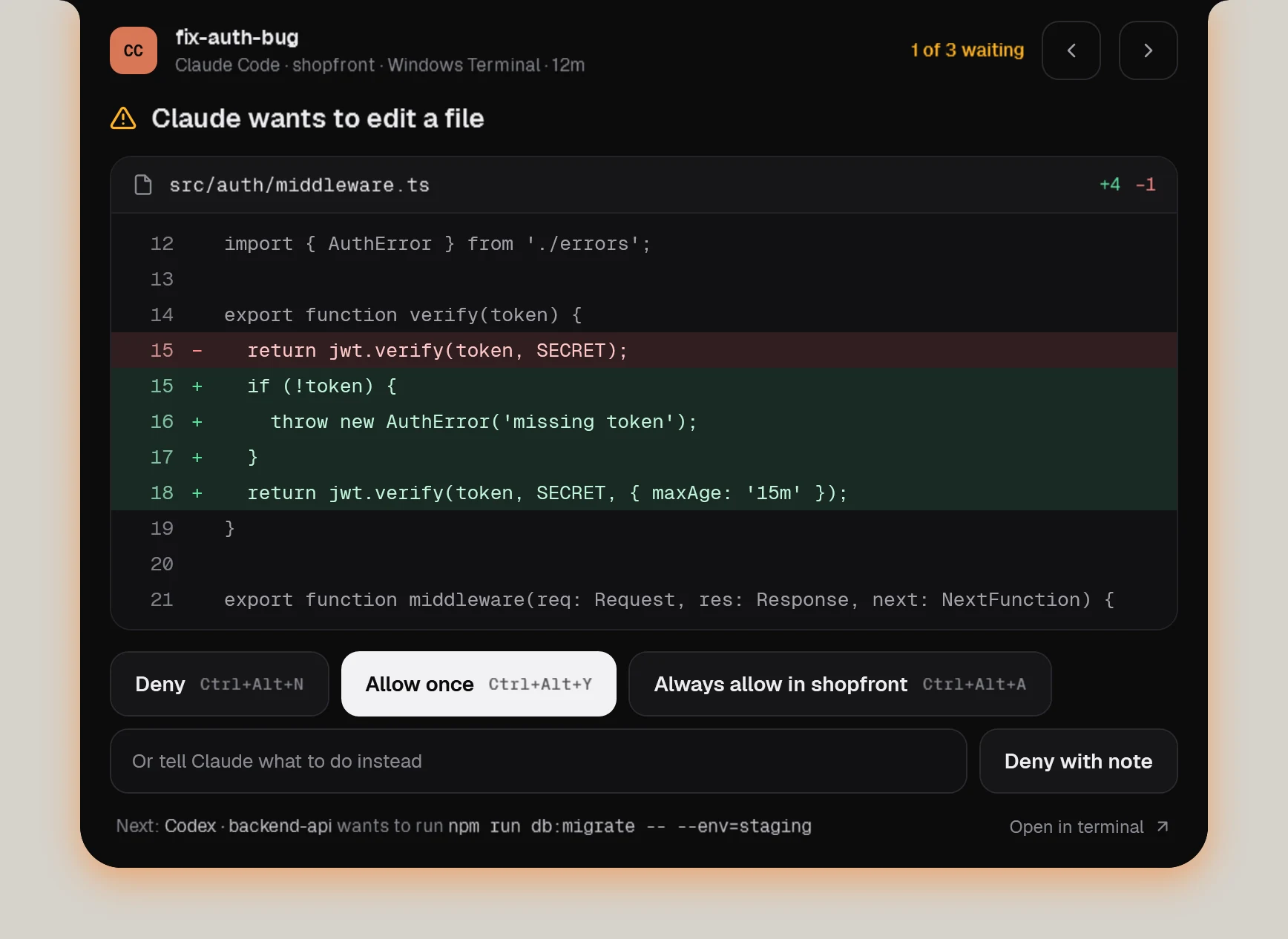
Devin CLI and Devin Local in Devin Desktop ask before actions that need your permission. Watchbird answers those requests from the notch and shows questions and plan reviews as “waiting for you”.
Devin
What works
| Session status in the notch | Yes |
|---|---|
| Approve edits & commands | Yes, in the notch |
| Questions & plans | Shows that it waits; you answer in the terminal |
| Jump to terminal or editor | Yes, one click |
| Follow-up messages | Yes, delivered when the agent is ready |
| Usage & context | Not shown yet |
Devin
How Watchbird connects
Through Devin’s official hook settings: Watchbird adds its entries to %APPDATA%\devin\config.json — after a backup — and removes them again with one click in Settings → Agents. Your own settings and hooks stay as they are.
Set up in three steps
- 01Get Watchbird from the Microsoft Store — the first 15 days are free.
- 02Start it. The setup finds Devin on your PC and connects it with one click.
- 03Start a new Devin session. The notch shows it from the first prompt.
Good to know
- Watchbird only sees requests Devin would actually prompt for; everything Devin’s own permissions allow runs as usual.
- Watchbird adds its hooks to Devin’s config.json; a config file with comments is left alone.
- New tasks from Watchbird need the devin CLI (Devin Desktop alone isn’t enough).
Other agents
The agents are installed separately. Watchbird is an independent product and is not affiliated with or endorsed by their makers; all product names are trademarks of their respective owners.